quota extension
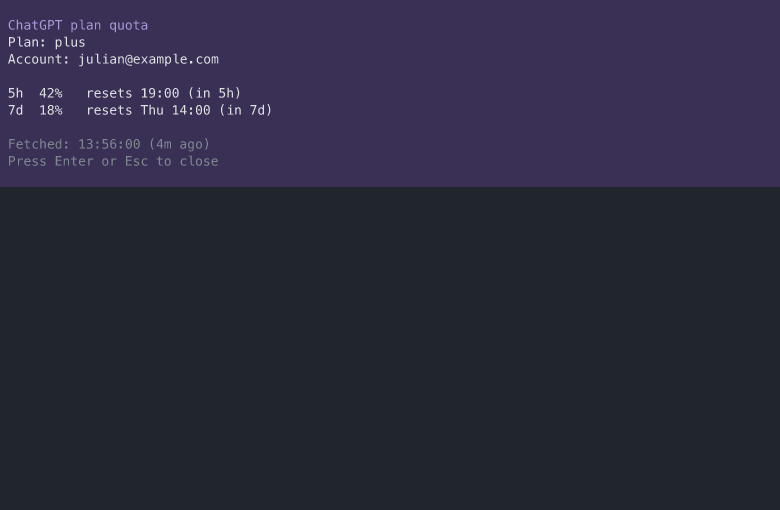
Monitors the OpenAI ChatGPT plan quota, so the user sees the remaining budget before a 5-hour or weekly limit is hit mid-task. A footer line always shows the plan's quota windows as used percentages; /quota forces a fresh read and shows the detail view (plan type, account email, reset times, time left, last fetched).
Works from any session. It reads the quota through the Quota source module (source.ts), which owns all data logic and the ChatGPT token refresh (ADR 0005). The model-router extension reuses the same module.
Screenshots
The detail view (/quota) with the fixture snapshot:
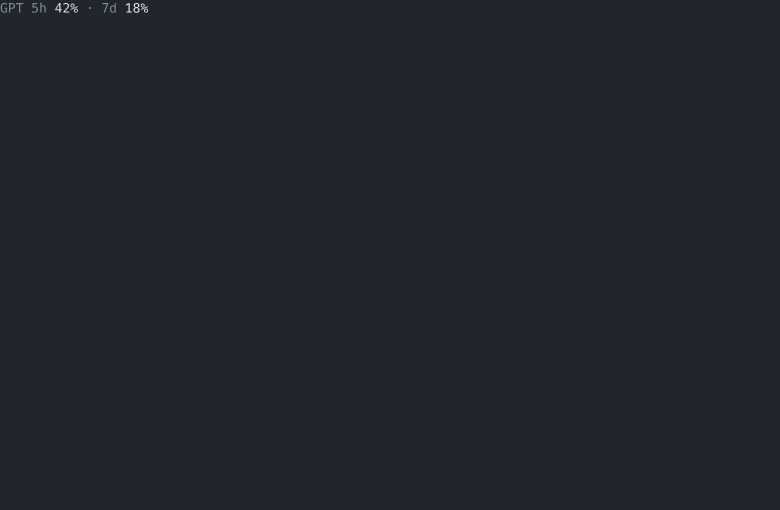
The footer line in the status bar:
Behavior
- Footer line.
GPT 5h 42% · 7d 18%in the status bar. An exhausted window readsFULLin the error color. Windows are labeled by their length:5hand7don the ChatGPT plans,30don the free plan. Reset times never appear in the footer. - Freshness. The quota is read once at session start, then every 5 minutes while the session runs. The interval is a fixed constant; there is no setting for it.
/quota. Forces a fresh read and shows the detail view: plan type, account email, each window with its reset time and time left, and the last fetched time.- Stale numbers. A failed read keeps the last good snapshot, marked
stalein the footer and in the detail view, instead of hiding the numbers. - Failure noise. The first failure of a run raises one error notification; repeated failures while polling are silent. A new failure reason raises one notification of its own. A dead login is told with a re-login error instead.
- Token refresh. The access token comes from pi's own auth store (
openai-codexOAuth entry). When it is expired, or a usage fetch 401s, the module refreshes it through the same token endpoint and client id pi's bundled OAuth uses, writes the rotated pair back to the auth store, and retries once after re-reading. A failed refresh declares the login dead. A re-login is picked up on the next poll without restarting pi. - No login, no output. Without an
openai-codexlogin the extension is invisible: no footer line, no notifications. - Non-TUI modes. Print and JSON modes never see quota output: the UI calls are guarded, so scripted output is unaffected.
/quota detail view
ChatGPT plan quota
Plan: plus
Account: julian@example.com

5h  42%   resets 19:00 (in 5h)
7d  18%   resets Thu 14:00 (in 7d)

Fetched: 13:56:00 (4m ago)
An exhausted window's line reads FULL in the error color. A stale snapshot adds one line saying the numbers are the last good ones.
Data source
The usage endpoint (GET https://chatgpt.com/backend-api/wham/usage) is not a documented public API. Response shape drift is a supported failure (stale snapshot plus one error), not a crash. Credits, promo, and additional-limit buckets from the response are not shown.
Out of scope
- The Qwen token plan (its usage API is browser-cookie only). A second plan goes behind the same Quota source seam (
source.ts). - An agent tool for the LLM to query its own quota.
- API-key (pay-as-you-go) spend and credit-balance tracking.
Tests
tests/quota/source.test.ts- the Quota source seam: fake fetch and a temp auth file, no network.tests/quota/render.test.ts- footer and detail strings.npm run e2e:quota- a real pi RPC session against the live endpoint; needs a working openai-codex login.