tools extension
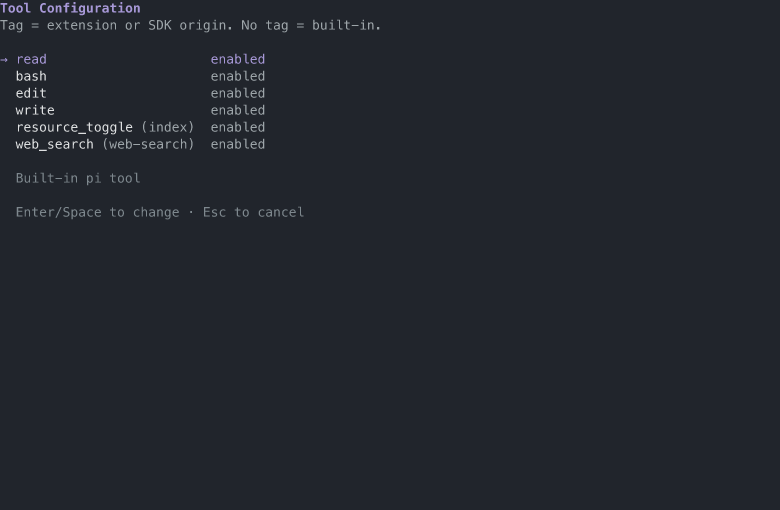
The /tools command opens a TUI list of every tool in the session. Toggle a tool to enable or disable it; the change applies immediately. The selection persists in the session (a tools-config entry) and is restored on session start and branch navigation, so it respects the session tree. Non-built-in tools show a tag with their origin (package name or file name), so you can see which extension provides each tool.
User-only tools start inactive
Two tools are user-only (GLOSSARY.md, "Tool exposure"): the operator gets the capability as a command, and the agent tool form should not pay a context cost by default. The extension carries a default-disabled list (usage_report, resource_toggle), applied on session start and branch navigation only when the branch has no saved selection: a new session starts with the listed tools inactive, and /tools can enable either for that session. A saved selection always wins: once the operator makes a choice in /tools, it is restored exactly on start and tree navigation, and the defaults are not applied on top. The list is code, not a settings entry - the extension API has no settings reader, and one line per tool is the size of the decision (issue #72).
The command requires TUI mode; in print or RPC modes it reports that.
Screenshot
The list with the fixture tool set: built-in tools, a package extension tool tagged with its origin, and a local extension tool tagged with its file name.